

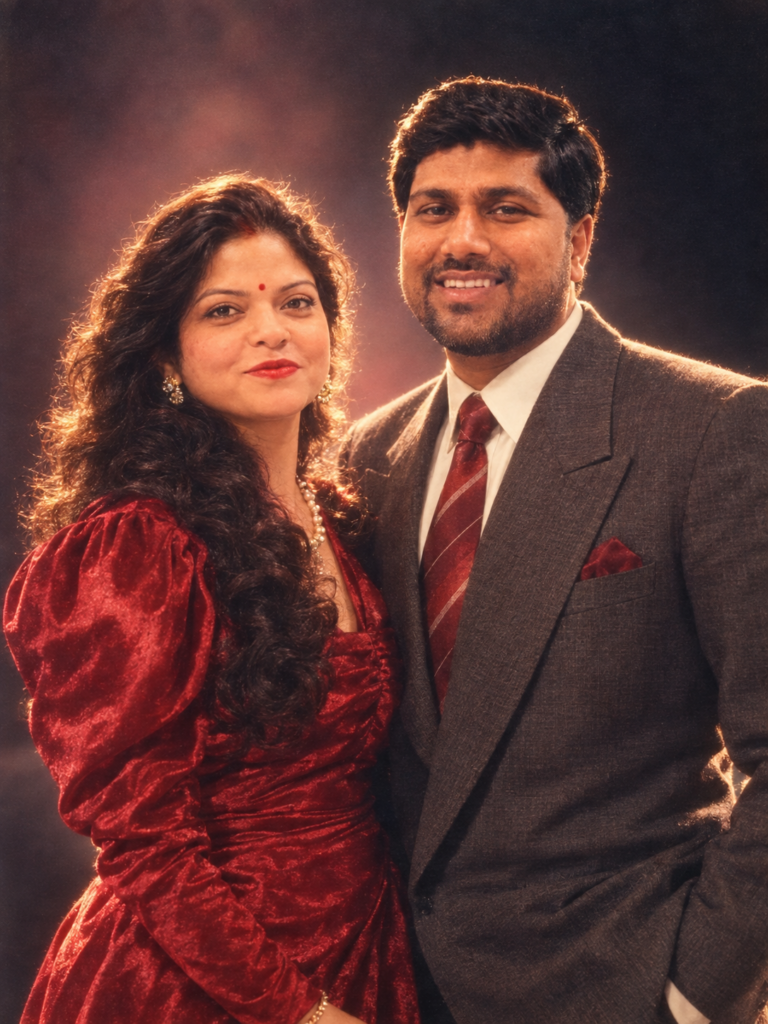
If your Instagram feed has suddenly turned into a time machine, you’re not imagining it. Over the past few days, a new AI photo trend has taken over social media, with users uploading a single selfie and getting back a portrait that looks like it was pulled straight out of a 1987 studio catalogue — big hair, denim jackets, shoulder pads, neon backdrops, and all. The trend has spread fast across Instagram, TikTok, and Threads, and the best part is that you don’t need a fancy editing app to try it. ChatGPT and Google Gemini can do the entire transformation for free, using nothing but a photo and the right prompt.
Why This Trend Blew Up So Quickly
Part of the appeal is nostalgia. The 1980s aesthetic — permed hairstyles, acid-wash denim, bold makeup, and that unmistakable studio-photo lighting — has a strong emotional pull, especially for people who either lived through the decade or grew up hearing stories about it from their parents. But the bigger reason this trend has spread so fast is sheer accessibility. Unlike earlier AI photo trends that required niche apps or paid subscriptions, this one works entirely inside tools most people already have open on their phones. You don’t need design skills, you don’t need to install anything new, and you get a result in under a minute.
The other driver is Google’s newer image model inside Gemini, often referred to online as “Nano Banana,” which has made these transformations sharper and far more realistic than earlier attempts at AI face-swapping or stylization. Millions of new users reportedly flocked to Gemini within days of the feature going viral, simply to try decade-hopping their own photos.
How to Create Your Own 1980s AI Photo
The process is nearly identical whether you’re using ChatGPT or Gemini:
- Pick a clear photo. A well-lit selfie or portrait where your face is clearly visible works best. Avoid heavily filtered or blurry images, since the AI uses your actual facial features as the base.
- Open ChatGPT or Gemini and upload the photo.
- Add a detailed prompt describing the era, styling, and photographic look you want.
- Review and refine. If the AI changes your face too much, simply ask it to keep your original features and only adjust the clothing, hair, or background.
- Download and share — many people are posting a side-by-side of their original photo next to the 1980s version for the full “then and now” effect.
Prompts People Are Actually Using
If you want a prompt that’s already proven to work well, try something along these lines:
“Transform this photo into a realistic 1980s studio portrait. Preserve my exact facial features and identity, but update my hairstyle, outfit, and makeup to match the era. Add authentic 1980s styling — voluminous hair, shoulder pads or denim, bold makeup — along with warm studio lighting, slightly faded film-like colors, and natural grain. Avoid a cartoonish or costume-like look; make it appear like a genuine photograph from that decade.”
For a slightly different mood, some users are also going for the analogue film route:
“Recreate this image as if it were shot on 35mm film in 1985. Keep my face and identity unchanged. Add period-accurate clothing and hairstyle, soft ambient lighting, subtle grain, and slightly muted vintage tones.”
Both prompts follow the same underlying logic: describe the era clearly, ask the AI to preserve identity, and specify the photographic texture you want — lighting, film grain, and color tone matter just as much as the outfit.
A Few Tips Before You Try It
- Use a photo where your face isn’t obscured by sunglasses, masks, or heavy shadows for the most accurate result.
- If the first output feels off, don’t start over — just ask for a targeted fix, like “keep the face the same, only change the background.”
- Label AI-generated images as AI-generated when you post them, especially since these tools are realistic enough to be mistaken for actual old photographs.
- If ChatGPT or Gemini gives an inconsistent result, try switching between the two — some users find one platform handles hairstyles better while the other nails the lighting and color grading.
The Takeaway
The 1980s AI photo trend is a good example of how far consumer AI tools have come — what once required professional retouching or manual editing can now be done with one photo and one well-written sentence. Whether you’re doing it for nostalgia, a fun Instagram post, or just to see what you’d have looked like a few decades ago, the process takes minutes and costs nothing. Try a few prompt variations, tweak the details that don’t look quite right, and you’ll likely land on a version that feels like it belongs in an old photo album.